OWASP MFA Checklist: Deploying TOTP and Hardware Keys for Staff
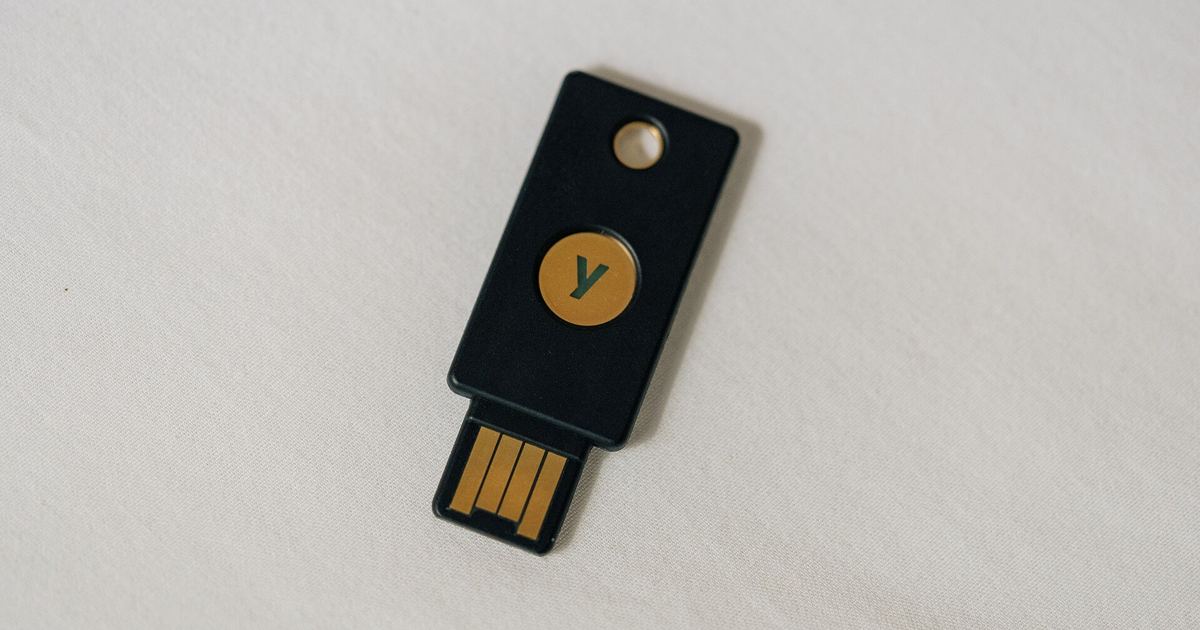
Community forums face continuous credential-focused threats because administrative accounts possess elevated permissions over databases, moderation queues, and private member information. When bad actors obtain staff credentials through credential stuffing, password spraying, or database breaches, they can compromise the entire discussion platform. As outlined in the OWASP Multifactor Authentication Cheat Sheet, multifactor authentication (MFA) stands as the primary defensive barrier against password compromises, with Microsoft analysis indicating it would have prevented 99.9% of account takeovers. For forum managers auditing their teams, this checklist establishes technical requirements for rolling out Time-based One-Time Password (TOTP) tools and hardware authenticators to moderators and administrators.
Checklist Item 1: Enforce Two Distinct Authentication Factors
MFA requires proof from at least two separate categories: something you know (such as passwords and PINs), something you have (such as OTP tokens, U2F tokens, smart cards, and digital certificates), and something you are (such as fingerprints and facial recognition). Per NIST SP 800-63B-4, combining a password with a PIN does not constitute MFA because both items come from the knowledge factor. Forum security controls must treat these factors independently so that one attack vector cannot defeat both. While managing hardware tokens introduces administrative overhead, implementing any form of MFA is vastly superior to relying on bare passwords alone.
Checklist Item 2: Secure Server-Side Handling for TOTP Tokens
Time-based One-Time Password mechanisms deliver possession-based authentication through constantly updating numeric codes. When accepting TOTP submissions on moderator logins, forum software and authentication plugins must observe strict operational limits:
- Enforce a short time-to-live (TTL) on all generated codes.
- Ensure OTPs are single use and immediately invalidate the code upon successful verification.
- Apply strict attempt limits to block automated guessing attacks.
- Never log OTP values to system or web server debug logs.
- Avoid storing OTPs in long-term plaintext form within the database.
- Generate values using a cryptographically secure random number generator.
- Consider 8-digit or longer codes whenever community usability allows.
- Overwrite old records and issue a fresh code if a resend action occurs.
Hashing OTPs does not provide strong offline cryptographic resistance because a 6-digit code has a small keyspace of roughly ~1 million possibilities, allowing an attacker with database access to brute-force hashes rapidly. However, hashing remains recommended to reduce the blast radius if forum tables suffer exposure during the validity window and to prevent plaintext disclosure in monitoring logs.
Checklist Item 3: Validate Cryptographic Flags for Hardware Keys and Passkeys
Hardware authenticators such as U2F tokens and passkeys provide phishing-resistant defenses by pairing physical possession of a private key with local user verification, such as a biometric sensor or local PIN. Forum platforms must verify these credentials correctly during authentication sessions. Touch alone confirming user presence does not qualify as a second factor. The server must enforce user verification and explicitly validate the returned user-verification flag.
During staff onboarding, staff generate key pairs where the public credential registers to the forum while the private key remains stored on the physical device. During staff logins, the forum issues a challenge signed by the staff member's local private key. For teams auditing their overall permissions setup, implementing these hardware standards alongside broader forum admin security controls stops remote attackers from intercepting sessions through counterfeit login screens.
Checklist Item 4: Apply Step-Up Verification to Sensitive Forum Actions
Requiring secondary authentication only at the initial forum login screen leaves critical moderation and administrative capabilities vulnerable if an active session is intercepted. The OWASP Multifactor Authentication Cheat Sheet recommends prompting for additional verification when users carry out high-risk administrative tasks:
- Modifying user passwords or security questions (noting that NIST SP 800-63 no longer recognizes security questions as an acceptable factor).
- Updating the primary email address assigned to staff accounts.
- Attempting to disable or modify enrolled MFA factors.
- Elevating standard forum sessions to full administrative panel access.
- Accessing back-end operations via external forum APIs or mobile administrative tools.
Forum engines should reauthenticate using an existing enrolled factor rather than relying on session cookies alone, and send out-of-band notifications via email when factors change. Learn more about threat models in our overview of why forum staff need more than a password to stop takeovers.
Checklist Item 5: Establish Safe Account Recovery and Reset Workflows
Staff members occasionally lose access to hardware keys or replace mobile devices without transferring authenticator seeds. A secure forum implementation must balance account recovery against the risk of unauthorized resets:
- Distribute a batch of single-use recovery codes during initial MFA enrollment.
- Encourage moderators to register multiple factor types (such as combining a hardware key with an authenticator app) to reduce lockout risk.
- Log failed login attempts, display details including geographic location, browser, and time at the next login, and optionally notify the staff member by email.
- Rely on trusted administrative verification or peer vouching to clear locked accounts instead of automated, unverified bypass mechanisms.
Sources
Published October 28, 2026. No affiliate links on this page. Facts come from the sources linked above; check them for updates.